Copyright and seismic data

Seismic company GSI has sued a lot of organizations recently for sharing its copyrighted seismic data, undermining its business. A recent court decision found that seismic data is indeed copyrightable, but Canadian petroleum regulations can override the copyright. This allows data to be disclosed by the regulator and copied by others — made public, effectively.


Seismic data is not like other data

Data is uncopyrightable. Like facts and ideas, data is considered objective, uncreative — too cold to copyright. But in an important ruling last month, the Honourable Madam Justice Eidsvik established at the Alberta Court of the Queen's Bench that seismic data is not like ordinary data. According to this ruling:


...the creation of field and processed [seismic] data requires the exercise of sufficient skill and judgment of the seismic crew and processors to satisfy the requirements of [copyrightability].


These requirements were established in the case of accounting firm CCH Canadian Limited vs The Law Society of Upper Canada (2004) in the Supreme Court of Canada. Quoting from that ruling:


What is required to attract copyright protection in the expression of an idea is an exercise of skill and judgment. By skill, I mean the use of one’s knowledge, developed aptitude or practised ability in producing the work. By judgment, I mean the use of one’s capacity for discernment or ability to form an opinion or evaluation by comparing different possible options in producing the work.


Interestingly:


There exist no cases expressly deciding whether Seismic Data is copyrightable under the American Copyright Act [in the US].


Fortunately, Justice Eidsvik added this remark to her ruling — just in case there was any doubt:


I agree that the rocks at the bottom of the sea are not copyrightable.

It's really worth reading through some of the ruling, especially sections 7 and 8, entitled Ideas and facts are not protected and Trivial and purely mechanical respectively. 

Why are we arguing about this?

This recent ruling about seismic data was the result of an action brought by Geophysical Service Incorporated against pretty much anyone they could accuse of infringing their rights in their offshore seismic data, by sharing it or copying it in some way. Specifically, the claim was that data they had been required to submit to regulators like the C-NLOPB and the C-NSOPB was improperly shared, undermining its business of shooting seismic data on spec.

You may not have heard of GSI, but the company has a rich history as a technical and business innovator. The company was the precursor to Texas Instruments, a huge player in the early development of computing hardware — seismic processing was the 'big data' of its time. GSI still owns the largest offshore seismic dataset in Canada. Recently, however, the company seems to have focused entirely on litigation.

The Calgary company brought more than 25 lawsuits in Alberta alone against corporations, petroleum boards, and others. There have been other actions in other jurisdictions. This ruling is just the latest one; here's the full list of defendants in this particular suit (there were only 25, but some were multiple entities):

  • Devon Canada Corporation
  • Statoil Canada Ltd.
  • Anadarko Petroleum Corporation
  • Anadarko US Offshore Corporation
  • NWest Energy Corp.
  • Shoal Point Energy Ltd.
  • Vulcan Minerals Inc.
  • Corridor Resources Inc.
  • CalWest Printing and Reproductions
  • Arcis Seismic Solutions Corp.
  • Exploration Geosciences (UK) Limited
  • Lynx Canada Information Systems Ltd.
  • Olympic Seismic Ltd.
  • Canadian Discovery Ltd.
  • Jebco Seismic UK Limited
  • Jebco Seismic (Canada) Company
  • Jebco Seismic, LP
  • Jebco/Sei Partnership LLC
  • Encana Corporation
  • ExxonMobil Canada Ltd.
  • Imperial Oil Limited
  • Plains Midstream Canada ULC
  • BP Canada Energy Group ULC
  • Total S.A.
  • Total E&P Canada Ltd.
  • Edison S.P.A.
  • Edison International S.P.A.
  • ConocoPhillips Canada Resources Corp.
  • Canadian Natural Resources Limited
  • MGM Energy Corp
  • Husky Oil Limited
  • Husky Oil Operations Limited
  • Nalcor Energy – Oil and Gas Inc.
  • Suncor Energy Inc.
  • Murphy Oil Company Ltd.
  • Devon ARL Corporation

Why did people share the data?

According to Section 101 Disclosure of Information of the Canada Petroleum Resources Act (1985) , geophysical data should be released to regulators — and thus, effectively, the public — five years after acquisition:


(2) Subject to this section, information or documentation is privileged if it is provided for the purposes of this Act [...]
(2.1) Subject to this section, information or documentation that is privileged under subsection 2 shall not knowingly be disclosed without the consent in writing of the person who provided it, except for the purposes of the administration or enforcement of this Act [...]

(7) Subsection 2 does not apply in respect of the following classes of information or documentation obtained as a result of carrying on a work or activity that is authorized under the Canada Oil and Gas Operations Act, namely, information or documentation in respect of

(d) geological work or geophysical work performed on or in relation to any frontier lands,
    (i) in the case of a well site seabed survey [...], or
    (ii) in any other case, after the expiration of five years following the date of completion of the work;


As far as I can tell, this does not necessarily happen, by the way. There seems to be a great deal of confusion in Canada about what 'seismic data' actually is — companies submit paper versions, sometimes with poor processing, or perhaps only every 10th line of a 3D. But the Canada Oil and Gas Geophysical Operations Regulations are quite clear. This is from the extensive and pretty explicit 'Final Report' requirements: 


(j) a fully processed, migrated seismic section for each seismic line recorded and, in the case of a 3-D survey, each line generated from the 3-D data set;


The intent is quite clear: the regulators are entitled to the stacked, migrated data. The full list is worth reading, it covers a large amount of data. If this is enforced, it is not very rigorous. If these datasets ever make it into the hands of the regulators, and I doubt it ever all does, then it's still subject to the haphazard data management practices that this industry has ubiquitously adopted.

GSI argued that 'disclosure', as set out in Section 101 of the Act, does not imply the right to copy, but the court was unmoved:


Nonetheless, I agree with the Defendants that [Section 101] read in its entirety does not make sense unless it is interpreted to mean that permission to disclose without consent after the expiry of the 5 year period [...] must include the ability to copy the information. In effect, permission to access and copy the information is part of the right to disclose.


So this is the heart of the matter: the seismic data was owned and copyrighted by GSI, but the regulations specify that seismic data must be submitted to regulators, and that they can disclose that data to others. There's obvious conflict between these ideas, so which one prevails? 

The decision

There is a principle in law called Generalia Specialibus Non Derogant. Quoting from another case involving GSI:


Where two provisions are in conflict and one of them deals specifically with the matter in question while the other is of more general application, the conflict may be avoided by applying the specific provision to the exclusion of the more general one. The specific prevails over the more general: it does not matter which was enacted first.


Quoting again from the recent ruling in GSI vs Encana et al.:


Parliament was aware of the commercial value of seismic data and attempted to take this into consideration in its legislative drafting. The considerations balanced in this regard are the same as those found in the Copyright Act, i.e. the rights of the creator versus the rights of the public to access data. To the extent that GSI feels that this policy is misplaced, its rights are political ones – it is not for this Court to change the intent of Parliament, unfair as it may be to GSI’s interests.


Finally:


[...the Regulatory Regime] is a complete answer to the suggestion that the Boards acted unlawfully in disclosing the information and documentation to the public. The Regulatory Regime is also a complete answer to whether the copying companies and organizations were entitled to receive and copy the information and documentation for customers. For the oil companies, it establishes that there is nothing unlawful about accessing or copying the information from the Boards [...]


So that's it: the data was copyright, but the regulations override the copyright, effectively. The regulations were legal, and — while GSI might find the result unfair — it must operate under them. 

The decision must be another step towards the end of this ugly matter. Maybe it's the end. I'm sure those (non-lawyers) involved can't wait for it to be over. I hope GSI finds a way back to its technical core and becomes a great company again. And I hope the regulators find ways to better live up to the fundamental idea behind releasing data in the first place: that the availability of the data to the public should promote better science and better decisions for Canada's offshore. As things stand today, the whole issue of 'public subsurface data' in Canada is, frankly, a mess.

Deriving equations in Python

Last week I wrote about the elastic moduli, and showed the latest version of my table of equations. Here it is; click on it for a large version:

Making this grid was a bit of an exercise in itself. One could spend some happy hours rearranging things by hand; instead, I spent some (mostly) happy hours learning to use SymPy, a symbolic maths library for Python. For what it's worth, you can see my flailing in this Jupyter Notebook. Warning: it's pretty untidy.

Wrangling equations

Fortunately, SymPy is easy to get started with. Let's look at getting an expression for \(V_\mathrm{P}\) in terms of \(E\) and \(K\), given that I already have an expression in terms of \(E\) and \(\mu\), plus an expression for \(\mu\) in terms of \(E\) and \(K\).

First we import the SymPy library, set it up for nice math display in the Notebook, and initialize some parameter names:

 
>>> import sympy
>>> sympy.init_printing(use_latex='mathjax')
>>> lamda, mu, nu, E, K, rho = sympy.symbols("lamda, mu, nu, E, K, rho")

lamda is not a typo: lambda means something else in Python — it's a sort of unnamed function.

Now we're ready to define an expression. First, I'll import SymPy's own square root function for convenience. Then I define an expression for \(V_\mathrm{P}\) in terms of \(E\) and \(\mu\):

 
>>> vp_expr = sympy.sqrt((mu * (E - 4*mu)) / (rho * (E - 3*mu)))
>>> vp_expr

$$ \sqrt{\frac{\mu \left(E - 4 \mu\right)}{\rho \left(E - 3 \mu\right)}} $$

Now we can give SymPy the expression for \(\mu\) in terms of \(E\) and \(K\) and substitute:

 
>>> mu_expr = (3 * K * E) / (9 * K - E)
>>> vp_new = vp_expr.subs(mu, mu_expr)
>>> vp_new

$$\sqrt{3} \sqrt{\frac{E K \left(- \frac{12 E K}{- E + 9 K} + E\right)}{\rho \left(- E + 9 K\right) \left(- \frac{9 E K}{- E + 9 K} + E\right)}}$$

Argh, what is that?? Luckily, it's easy to simplify:

 
>>> sympy.simplify(vp_new)

$$\sqrt{3} \sqrt{\frac{K \left(E + 3 K\right)}{\rho \left(- E + 9 K\right)}}$$

That's more like it! What's really cool is that SymPy can even generate the \(\LaTeX\) code for your favourite math renderer:

 
>>> print(sympy.latex(sympy.simplify(vp_new)))
\sqrt{3} \sqrt{\frac{K \left(E + 3 K\right)}{\rho \left(- E + 9 K\right)}}

That's all there is to it!

What is the mystery X?

Have a look at the expression for  \(V_\mathrm{P}\) in terms of \(E\) and \(\lambda\):


$$\frac{\sqrt{2}}{2} \sqrt{\frac{1}{\rho} \left(E - \lambda + \sqrt{E^{2} + 2 E \lambda + 9 \lambda^{2}}\right)}$$

I find this quantity — I call it \(X\) in the big table of equations — really curious:


$$ X = \sqrt{9\lambda^2 + 2E\lambda + E^2} $$

As you can see from the similar table on Wikipedia, a similar quantity appears in expressions in terms of \(E\) and \(M\). These quantities look like elastic moduli, and even have the right units and order of magnitude as the others. If anyone has thoughts on what significance it might have, if any, or on why expressions in terms of \(E\) and \(\lambda\) or \(M\) should be so uncommonly clunky, I'm all ears. 

One last thing... I've mentioned Melvyn Bragg's wonderful BBC radio programme In Our Time before. If you like listening to the radio, try this recent episode on the life and work of Robert Hooke. Not only did he invent the study of elasticity with his eponymous law, he was also big in microscopy, describing things like the cellular structure of cork in detail (right).

All the elastic moduli

An elastic modulus is the ratio of stress (pressure) to strain (deformation) in an isotropic, homogeneous elastic material:

$$ \mathrm{modulus} = \frac{\mathrm{stress}}{\mathrm{strain}} $$

OK, what does that mean?

Elastic means what you think it means: you can deform it, and it springs back when you let go. Imagine stretching a block of rubber, like the picture here. If you measure the stress \(F/W^2\) (i.e. the pressure is force per unit of cross-sectional area) and strain \(\Delta L/L\) (the stretch as a proportion) along the direction of stretch ('longitudinally'), then the stress/strain ratio gives you Young's modulus, \(E\).

Since strain is unitless, all the elastic moduli have units of pressure (pascals, Pa), and is usually on the order of tens of GPa (billions of pascals) for rocks. 

The other elastic moduli are: 

There's another quantity that doesn't fit our definition of a modulus, and doesn't have units of pressure — in fact it's unitless —  but is always lumped in with the others: 

What does this have to do with my data?

Interestingly, and usefully, the elastic properties of isotropic materials are described completely by any two moduli. This means that, given any two, we can compute all of the others. More usefully still, we can also relate them to \(V_\mathrm{P}\), \(V_\mathrm{S}\), and \(\rho\). This is great because we can get at those properties easily via well logs and less easily via seismic data. So we have a direct path from routine data to the full suite of elastic properties.

The only way to measure the elastic moduli themselves is on a mechanical press in the laboratory. The rock sample can be subjected to confining pressures, then squeezed or stretched along one or more axes. There are two ways to get at the moduli:

  1. Directly, via measurements of stress and strain, so called static conditions.

  2. Indirectly, via sonic measurements and the density of the sample. Because of the oscillatory and transient nature of the sonic pulses, we call these dynamic measurements. In principle, these should be the most comparable to the measurements we make from well logs or seismic data.

Let's see the equations then

The elegance of the relationships varies quite a bit. Shear modulus \(\mu\) is just \(\rho V_\mathrm{S}^2\), but Young's modulus is not so pretty:

$$ E = \frac{\rho V_\mathrm{S}^2 (3 V_\mathrm{P}^2 - 4 V_\mathrm{S}^2) }{V_\mathrm{P}^2 - V_\mathrm{S}^2} $$

You can see most of the other relationships in this big giant grid I've been slowly chipping away at for ages. Some of it is shown below. It doesn't have most of the P-wave modulus expressions, because no-one seems too bothered about P-wave modulus, despite its obvious resemblance to acoustic impedance. They are in the version on Wikipedia, however (but it lacks the \(V_\mathrm{P}\) and \(V_\mathrm{S}\) expressions).

Some of the expressions for the elastic moduli and velocities — click the image to see them all in SubSurfWiki.

Some of the expressions for the elastic moduli and velocities — click the image to see them all in SubSurfWiki.

In this table, the mysterious quantity \(X\) is given by:

$$ X = \sqrt{9\lambda^2 + 2E\lambda + E^2} $$

In the next post, I'll come back to this grid and tell you how I've been deriving all these equations using Python.


Top tip... To find more posts on rock physics, click the Rock Physics tag below!

Pick This again, again

Today we're proud to be launching the latest, all new iteration of Pick This!

Last June I told you about some new features we'd added to our social image interpretation tool. This new release is not really about features, but more about architecture. Late in 2015, we were challenged by BG Group, a UK energy company, to port the app to Amazon's cloud (AWS), so that they could run it in their own environment. Once we'd done that, we brought the data over from Google — where it was hosted — and set up the new public site on AWS. It will be much easier for us to add new features to this version.

One notable feature is that you no longer have to have a Google account to log in! This may have been a show-stopper for some people.

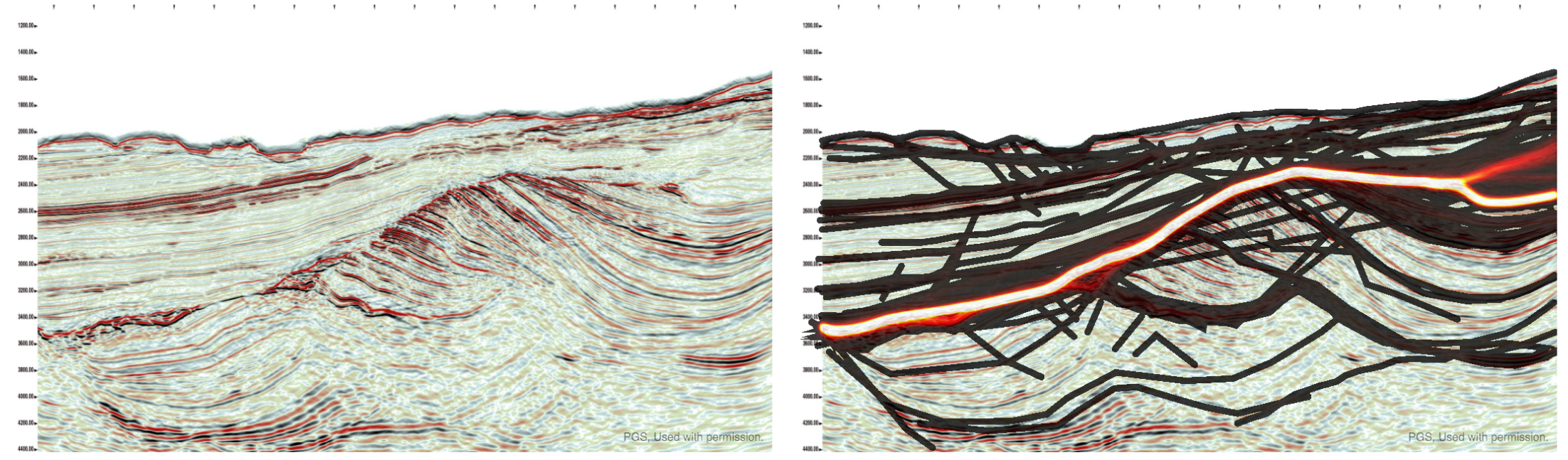
The app has been completely re-written from scratch, so there are a few differences. But fundamentally it's the same as before — you can ask your peers questions about images, and they can draw their answers. For example, Don Herron's "Where's the unconformity?" now has over 450 interpretations!

As we improve the tool over the coming weeks, we'll add ways to filter the results down, to attenuate some of the 'interpretation noise'. It's interesting to think about ways to represent this result — what is the 'true interpretation'? Is it the cloud of all opinions? Is there one answer?

Click here to visit the new site. For now it only plays nicely on a desktop computer (mobile is such a headache, but we will get there!). But you should be able to log in, interpret images, and upload new ones. You can let me know about bugs, or tweet @nowpickthis. If you like it, and I really hope you do, please tell your friends!


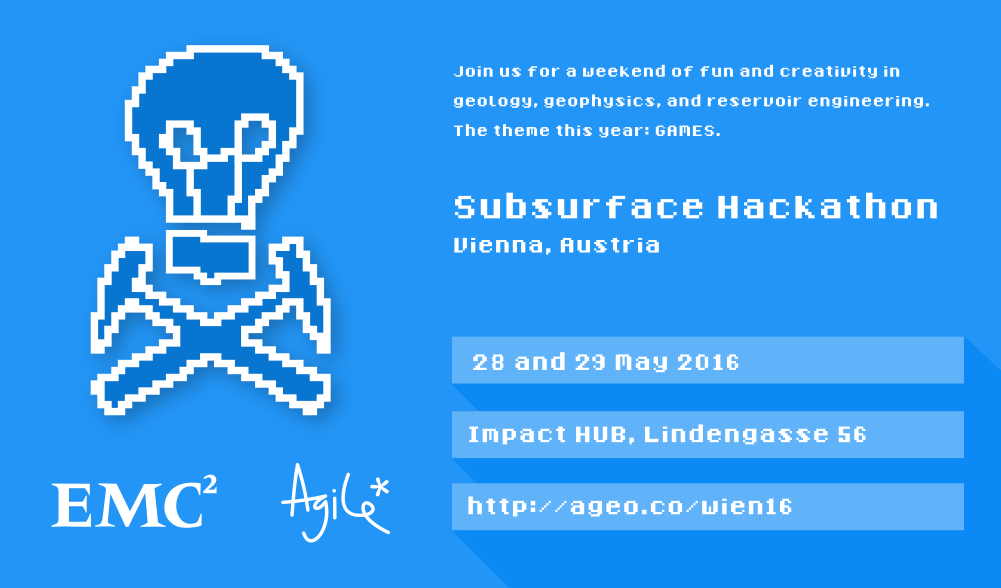
A quick reminder about the hackathon in Vienna next month. It will be an intense weekend of learning about programming and building some fun projects. I hope you can come, and if you know any geos in central Europe, please let them know!

Why Python beats MATLAB for geophysics

MATLAB — the scientific computing environment which includes a programming language — is amazing. It has probably done as much for the development of new geophysical methods, and for the teaching and learning of geophysics, as any other tool or language. A purely anecdotal assertion, but it's rare to meet a geophysicist who has not at least dabbled in MATLAB, and it is used daily in geophysics labs and classrooms. Geophysics <3 MATLAB.

It's easy to see why — MATLAB definitely has some advantages.

Advantages of MATLAB

  • Matrices. MATLAB implicitly treats arrays as matrices (the name means 'matrix laboratory'). As a result, notation is quite intuitive for mathematicians. For example, a*b means standard matrix multiplication, the dot product. (Slightly confusingly, to get Python-style element-wise multiplication, add a dot: a.*b).
  • Lots of functions. MATLAB has been around for over 30 years, so there are many, many useful functions. Find them either in the core product, in one of the toolboxes, or in MATLAB Central.
  • Simulink. This block-based system design and simulation engine is much-loved by engineers. It allows users to model physical systems in an intuitive, graphical environment.
  • Easy to install. The MATLAB environment is a desktop application, so it is instantly familiar and can be managed under the same processes other software in your machine or organization is managed.
  • MATLAB is widespread in academia. Thanks to one of those generous schemes where software corporations give free software to universities, just because they're awesome and definitely not for any other reason, students and profs have easy and free access to MATLAB. Outside academia, however, you're looking at tens of thousands of dollars.

So far so good, but it's time for geophysics to switch to Python. On the face of it, the language has a lot in common with MATLAB: they're both easy to learn, and both have broad ecosystems that make things like image processing, statistics, and signal processing easy. But Python has some special features that make it a fantastic platform for scientific computing...

Advantages of Python

  • Free and open. Thanks to one of those generous schemes where people make software and let anyone use it for any purpose for free, Python is free! Not only is it free of charge, you are free to inspect and modify the code. Open is awesome. (There are other free alternatives to MATLAB, notably GNU Octave and SciLab.)
  • General purpose. One of the things I love about Python is its flexibility. You can use it in the shell on microtasks, or interactively, or in scripts, or to write server software, or to build enterprise software with GUIs.
  • Namespaces. Everything in MATLAB lives in the main namespace, whereas Python keeps things inherently modular. To access NumPy, say, you have to import it and then use its namespace to get at its contents: numpy.ndarray([1, 2, 3]). This has various advantages, including flexibility, readability, learnability, and portability.
  • Introspection. A powerful idea in Python, introspection means that you (or your code) can see inside every module, class, and function. You can use access private variables, or write code that 'knows' about other objects' interfaces.
  • Portable. You can run your Python code on any architecture, whereas to run MATLAB code you either need all the MATLAB licenses the software uses, or another pricey toolbox to make executables.
  • Popular. Python is the 7th most popular tag in Stack Overflow, whereas MATLAB is the 58th. While programming is not a popularity contest, think of your career, or the careers of your students. Once they graduate, Python will serve them better than MATLAB. There are over 300 jobs for Pythonistas on Stack Overflow Jobs right now. MATLAB jobs? Nine.

So there you have it. It's time to switch to Python. If you're new to programming, there's no contest. I suppose if you're productive in MATLAB, and have access to all the toolboxes, then admittedly it's hard to say you should switch.

But I'll still say it.


I was inspired to write this post after talking to a geophysicist about using programming languages in the classroom, and by the lists in this nice post on pyzo.org. It would be interesting to hear what you use in the classroom — as an instructor or as a student. I know geophysics is being taught with the help of MATLAB (in many places), Java (e.g. at Colorado School of Mines), Mathematica (e.g. by Chris Liner). I wonder if there's anyone using JavaScript, which wouldn't be a terrible choice. Or C++? Or Fortran?? Let us know in the comments!

Helpful horizons

Ah, the smell of a new seismic interpretation project. All those traces, all that geology — perhaps unseen by humans or indeed any multicellular organism at all since the Triassic. The temptation is to Just Start Interpreting, why, you could have a map by lunchtime tomorrow! But wait. There are some things to do first.

Once I've made sure all is present and correct (see How to QC a seismic volume), I spend a bit of time making some helpful horizons... 

  • The surface. One of the fundamental horizons, the seafloor or ground surface is a must-have. You may have received it from the processor (did you ask for it?) or it may be hidden in the SEG-Y headers — ask whoever received or loaded the data. If not, ground elevation is usually easy enough to get from your friendly GIS guru. If you have to interpret the seafloor, at least it should autotrack quite well.
  • Seafloor multiple model. In marine data, I always make a seafloor multiple model — just multiply the seafloor pick by 2. This will help you make sense of any anomalous reflectors or amplitudes at that two-way time. Maybe make a 3× version too if things look really bad. Remember, the 2× multiple will be reverse polarity.
  • Other multiples. You can model the surface multiple of any strong reflectors with the same arithmetic — but the chances are that any residual multiple energy is quite subtle. You may want to seek help modeling them properly, once you have a 3D velocity model.

A 2D seismic dataset with some of the suggested helpful horizons. Please see the footnote about this dataset. Click the image to enlarge.

  • Water depth markers. I like to make flat horizons* at important water depths, eg shelf edge (usually about 100–200 m), plus 1000 m, 2000 m, etc. This mainly helps to keep track of where you are, and also to think about prospectivity, accessibility, well cost, etc. You only want these to exist in the water, so delete them anywhere they are deeper than the seafloor horizon. Your software should have an easy way to implement a simple model for time t in ms, given depth d in m and velocity** V in m/s, e.g.

$$ t = \frac{2000 d}{V} \approx \frac{2000 d}{1490} \qquad \qquad \mathrm{e.g.}\ \frac{2000 \times 1000}{1490} = 1342\ \mathrm{ms} $$

  • Hydrate stability zone. In marine data and in the Arctic you may want to model the bottom of the gas hydrate stability zone (GHSZ) to help interpret bottom-simulating reflectors, or BSRs. I usually do this by scanning the literature for reports of BSRs in the area, or data on hydrate encounters in wells. In the figure above, I just used the seafloor plus 400 ms. If you want to try for more precision, Bale et al. (2014) provided several models for computing the position of the GHSZ — thank you to Murray Hoggett at Birmingham for that tip.
  • Fold. It's very useful to be able to see seismic fold on a map along with your data, so I like to load fold maps at some strategic depths or, better yet, load the entire fold volume. That way you can check that anomalies (especially semblance) don't have a simple, non-geological explanation. 
  • Gravity and magnetics. These datasets are often readily available. You will have to shift and scale them to some sensible numbers, either at the top or the bottom of your sections. Gravity can be especially useful for interpreting rifted margins. 
  • Important boundaries. Your software may display these for you, but if not, you can fake it. Simply make a horizon that only exists within the polygon — a lease boundary perhaps — by interpolating within a polygon. Make this horizon flat and deep (deeper than the seismic), then merge it with a horizon that is flat and shallow (–1 ms, or anything shallower than the seismic). You should end up with almost-vertical lines at the edges of the feature.
  • Section headings. I like to organize horizons into groups — stratigraphy, attributes, models, markers, etc. I make empty horizons to act only as headings so I can see at a glance what's going on. Whether you need do this, and how you achieve it, depends on your software.

Most of these horizons don't take long to make, and I promise you'll find uses for them throughout the interpretation project. 

If you have other helpful horizon hacks, I'd love to hear about them — put your favourites in the comments. 


Footnotes

* It's not always obvious how to make a flat horizon. A quick way is to take some ubiquitous horizon — the seafloor maybe — and multiply it by zero.

** The velocity of sound in seawater is not a simple subject. If you want to be precise about it, you can try this online calculator, or implement the equations yourself.

The 2D seismic dataset shown is from the Laurentian Basin, offshore Newfoundland. The dataset is copyright of Natural Resources Canada, and subject to the Open Government License – Canada. You can download it from the OpendTect Open Seismic Repository. The cultural boundary and gravity data is fictitious — I made them up for the purposes of illustration.

References

Bale, Sean, Tiago M. Alves, Gregory F. Moore (2014). Distribution of gas hydrates on continental margins by means of a mathematical envelope: A method applied to the interpretation of 3D seismic data. Geochem. Geophys. Geosyst. 15, 52–68, doi:10.1002/2013GC004938. Note: the equations are in the Supporting Information.

Toolbox wishlist

Earlier this week, the conversation on Software Underground* turned to well-tie software.

Someone was complaining that, despite having several well-tie tools at their disposal, none of them was quite right. I've written about this phenomenon before. We, as a discipline, do not know how to tie wells. I don't mean that you don't know, I know you know, but I bet if you compared the workflows of ten geoscientists, they would all be different. That's why every legacy well in every project has thirty time-depth tables, including at least three endearingly hopeful ones called final, and the one everyone uses, called test.

As a result of all this, the topic of "what tools do people need?" came up. Leo Uieda, a researcher in Brazil, asked:

I just about remembered that I had put up this very question on Tricider some time ago. Tricider is not a website about apple-based beverages, but a site for sharing and voting on ideas. You can start with a few ideas, get votes and comments on them, and even get new ideas. Here's the top idea as of right now: an open-source petrophysics tool.

Do check out the list, and vote or comment if you like. It might help someone find a project to work on, or spark an idea for a new app or even a new company.

Another result of the well-tie software conversation was, "What are the features of the one well-tie app to rule them all?" I'll leave you to stew on that one for a while. Meanwhile, please share your thoughts in the comments.


* Software Underground is an open Slack team. In essence, it's a chat room for geocomputing geeks: software, underground, geddit? It's completely free and open to anyone — pop along to http://swung.rocks/ to sign up.

It even has its own radio station!

Tools for drawing geoscientific figures

This is a response to Boyan Vakarelov's useful post on LinkedIn about tools for creating geological figures. I especially liked his SketchUp tip.

It's a while since we wrote about our toolset, so I thought I'd document what we're currently using for making figures. You won't be surprised to hear that they're mostly open source. 

Our figure creation toolbox

  • QGIS — if it's a map, you should make it in a GIS, it's as simple as that.
  • Inkscape — for most drawing and figure creation tasks. It's just as good as Illustrator.
  • GIMP — for raster editing tasks. Rasters are no good for editable figures or line art though.
  • TimeScale Creator — a little-known tool for making editable chronostratigraphic columns. Here's an example from way back on this very blog. The best thing: you can export SVG files, then edit them in Inkscape.
  • Python, R, etc. — the best way to make reproducible scientific figures is not to draw them at all. Instead, create data visualizations programmatically.

To really appreciate how fantastic the programmatic approach is, check out Sergey Fomel's treasure trove of reproducible documents, in which every figure is really just the output of a little program that anyone can run. Here's one of my own, adapted from a previous post and a sneak peek of an upcoming Leading Edge tutorial:

Different sample interpolation styles give different amplitudes for inter-sample positions, as shown at the red 'horizon' time pick. From upcoming tutorial in the April edition of The Leading Edge

Everything you wanted to know about images

Screenshots often form part of a figure, because they're so much easier than trying to figure out how to export an image, or trying to wrangle the data from scratch. If you find yourself grabbing a screenshot, and any time you're providing an image for someone else — especially if it's destined for print — you need to know all about image resolution. Read my post Save the samples for my advice. 

If you still save your images as JPEG, you also need to read my post about How to choose an image format. One day you might need the fidelity you are throwing away! Here's the short version: save everything as a PNG.

Last thing: know the difference between vector and raster graphics. Make vectors when you can.

Stop using PowerPoint!

The only bit of Boyan's post I didn't like was the bit about PowerPoint. I admit, fifteen years ago I was a bit of a slave to PowerPoint. I'd have preferred to use Illustrator at the time, but it was well beyond corporate IT's ken, and I hadn't yet discovered Inkscape. But I'm over it now — and just as well because it's a horrible drawing tool. The main limitation is not having layers, which is a show-stopper for me, but there's also the generic typography, simplistic spline editing, the inability to handle standard formats like SVG, and no scripting or plug-ins.

Getting good

If you want to learn about making effective scientific figures, I strongly recommend reading anything you can by Edward Tufte, Robert Kosara, Alberto Cairo, and Mike Bostock. For some quick inspiration check out the #dataviz hashtag on Twitter, or feast your eyes on this amazing collection of graphics, or Mike Bostock's interactive examples, or... there are too many resources to choose from.

How about you? Share your favourite tools in the comments or on Boyan's post.

New open data and a competition

First, a quick announcement. EMC, the data storage and cloud computing company, has stepped up to sponsor the Subsurface Hackathon in Vienna in a few weeks. Their generous help will ensure a fun event with some awesome prizes — so get signed up and start planning your project!


New open data

A correspondent got in touch last week about an exciting new open seismic dataset. In the late summer and early autumn of 2015, the WesternGeco-acquired a large new 2D seismic survey in the Rockall Basin and the Mid North Sea High for the UK Government. The survey cost about £20 million and consists of 20,000 km of new broadband PreSTM data. At the end of March, the dataset will be released to the public for free download, along with about 20,000 km of legacy 2D data, 40,000 km of new gravity and magnetic data, and wells.

© Crown Copyright — Used under fair use provision.

If you are interested in downloading the data, the government is asking that you fill out this form — it will help them figure out what to make available, and how much infrastructure to provision. Excitingly, they are asking about angle stacks, PSTM gathers, not just the full stack. It sounds like being an important resource for our community.

They are even asking about interest in the field data — all 60TB of it. There will almost certainly be a fee associated with the larger datasets, by the way. I asked about this and it sounds like it will likely be on the order of several thousand pounds to handle the full SEGD data, because of course it will be on physical media. But the government is open to suggestions if the geophysical community would like to find another way to distribute the data — do let me know if you'd like to talk about this.

New seed funding

Along with the data package, the government has announced an exciting new competition for 'seed funding':

The £500,000 competition has been designed to encourage geoscientists and engineers to develop innovative interpretations and products potentially using [this new open data]...

The motivation for the competition is clear:

It is hoped the competition will not only significantly increase the understanding of these frontier areas in respect of the 29th Seaward Licensing Round later in the year, but also retain talent in the oil and gas community which has been affected by the oil and gas industry downturn.

The parameters of the competition are spelled out in the Word document on this tender notice. It sounds like almost anything goes: data analysis, product development, even exploration activity. So get creative — and pitch the coolest thing you can think of!

You'll have to get cracking though, because applications to take part must be in by 1 April. If selected, the project must be delivered on 11 November.

A European geo-gaming hackathon

I'm convinced that hackathons are the best way to get geoscientists and engineers inventing and collaborating in new ways. They are better for learning than courses. They are better for networking than parties. And they nearly always have tacos! 

If you are unsure what a hackathon is, or why I'm so enthusiastic about them, you can read my November article in the Recorder (Hall 2015, CSEG Recorder, vol 40, no 9).

The next hackathon will be 28 and 29 May in Vienna, Austria — right before the EAGE Conference and Exhibition. You can sign up right now! Please get it in your calendar and pass it along.

Throwing down the gauntlet

Colorado School of Mines has dominated the student showing at the last 2 autumn hackathons. I know there are plenty more creative research groups out there. Come out and show the world your awesomeness — in teams of up to 4 people — and spend a weekend learning and coding. Also: there will be beer.

To everyone else: this is not a student event, it's for everyone. Most of the participants in the past have been professionals, but the more diverse it is, the more we all get out of it. So don't ask yourself if you'll fit in — you will. 

A word about the fee

Our previous hackathons have been free, but this one has a small fee. It's an experiment. Like most free events, no-shows are a challenge; I'm hoping the fee reduces the problem. If the fee makes it difficult for you to join us, please get in touch — I do not want it to be a barrier.

Just to be clear: these events do not make money. Previous events have been generously sponsored — and that's the only way they can happen. We need support for this one too: if you're a champion of creativity in science and want to support this event, you can find me at matt@agilegeoscience.com, or you can read more about sponsorship here.

Details

The dates are 28 and 29 May. The event will run 8 till 6 (or so) on both the Saturday and the Sunday. We don't have a venue finalized yet. Ideas and contributions of any kind are welcome — this is a community event.

The theme this year will be Games. If you have ideas, share them in the comments! Here are some random project ideas to get you going...

  • Acquisition optimizer: lay out the best geometry to image the geology.
  • Human inversion: add geological layers to match a seismic trace.
  • Drill wells on a budget to make the optimal map of an unseen surface.
  • Which geological section matches the (noisy) seismic section?
  • Top Trumps for global 3D seismic surveys, with data scraped from press releases.
  • Set up the best processing flow based for a modeled, noisy shot gather.

It's going to be fun! If you're traveling to EAGE this year, I hope we see you there!


Photo of Vienna by Nic Piégsa, CC-BY. Photo of bridge by Dragan Brankovic, CC-BY.